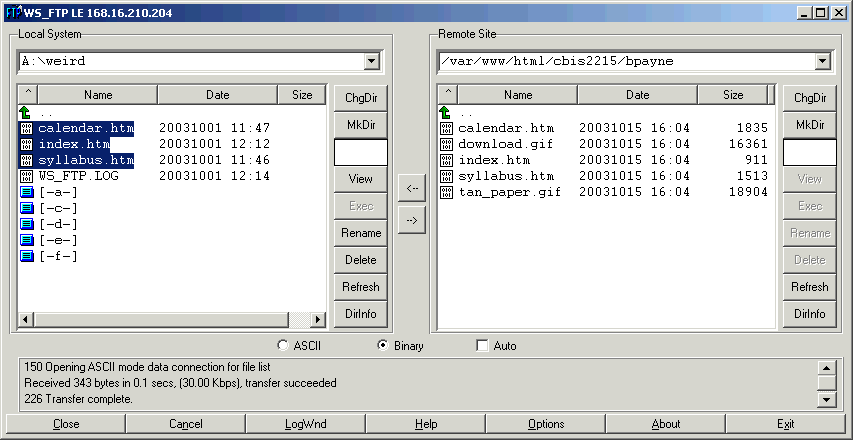
Instructions for uploading your CBIS 2215 Web site:
Using WS_FTP LE (go to http://download.com
to download it if you don't have it), enter the following information:
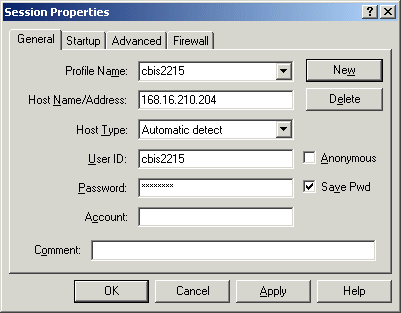
Profile Name: cbis2215
Host Address: 168.16.210.36
UserID: cbis2215
Password: c2b2i1s5
This should look like the below example:
- Hit OK. You should now be connected to the server (remember you can only
do this on campus for now).
- Hit ChgDir on the left window to change directory to "a:".
- Find the folder on your floppy with your web site in it.
- In the right window, double-click on the www folder.
- Again in the right window, find the folder with your name and double-click
it (e.g. bpayne).
- In the left window, highlight all the files in your folder and click the
--> arrow in the middle to upload the files.
- Close, and go to http://168.16.210.36/cbis2215/
+ your folder name (or follow your link) to see your web site. Voila!
Artist's conception of this set of steps: